Bolt.Spaces
Book a desk, a room or a bay. The booking opens the door.Booking that runs through the doors you fit.
Staff book in a couple of seconds on their phone. Because the doors run on Bolt too, there’s no second system to keep in step and no “who has the fob”.
Rooms and doors share one system, so the booking is the credential. Door access goes through the Bolt controllers you’ve fitted. No second system to keep in step, and no booking tool to integrate.
Available now · Desks, rooms and parking, on the same system as the doors
Three things to book. One app to book them in.Three things your customer can book, on doors you’ve fitted.
-
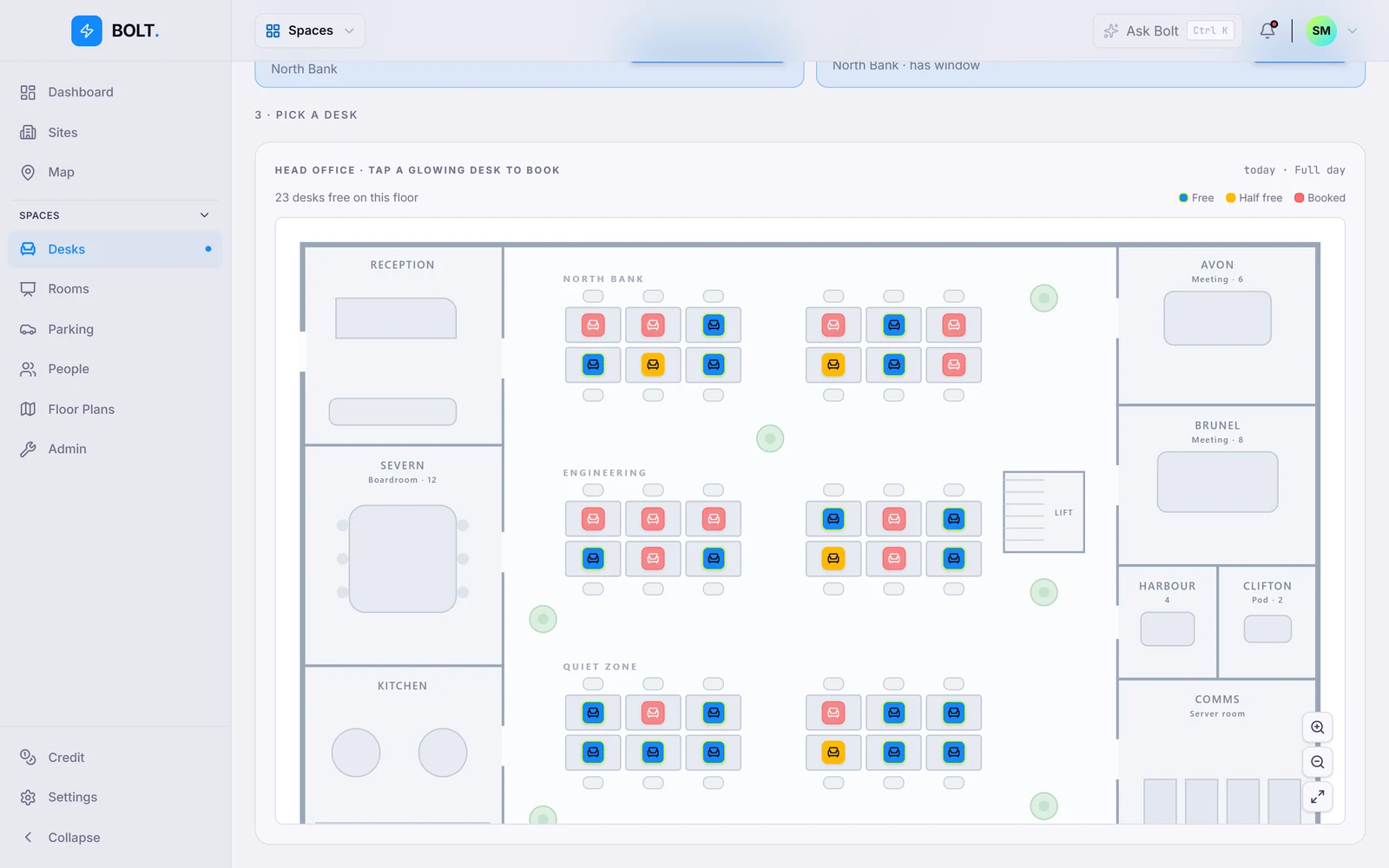
Desks
Hot-desking without the heat.
Book the night before, or walk up and grab one. See who’s in today and sit near them, or three rows away. Your call.
- Favourites and recurring bookings
- See colleagues’ plans for the day
- Approval rules by zone or floor
- Unclaimed desks free themselves (in development)
-
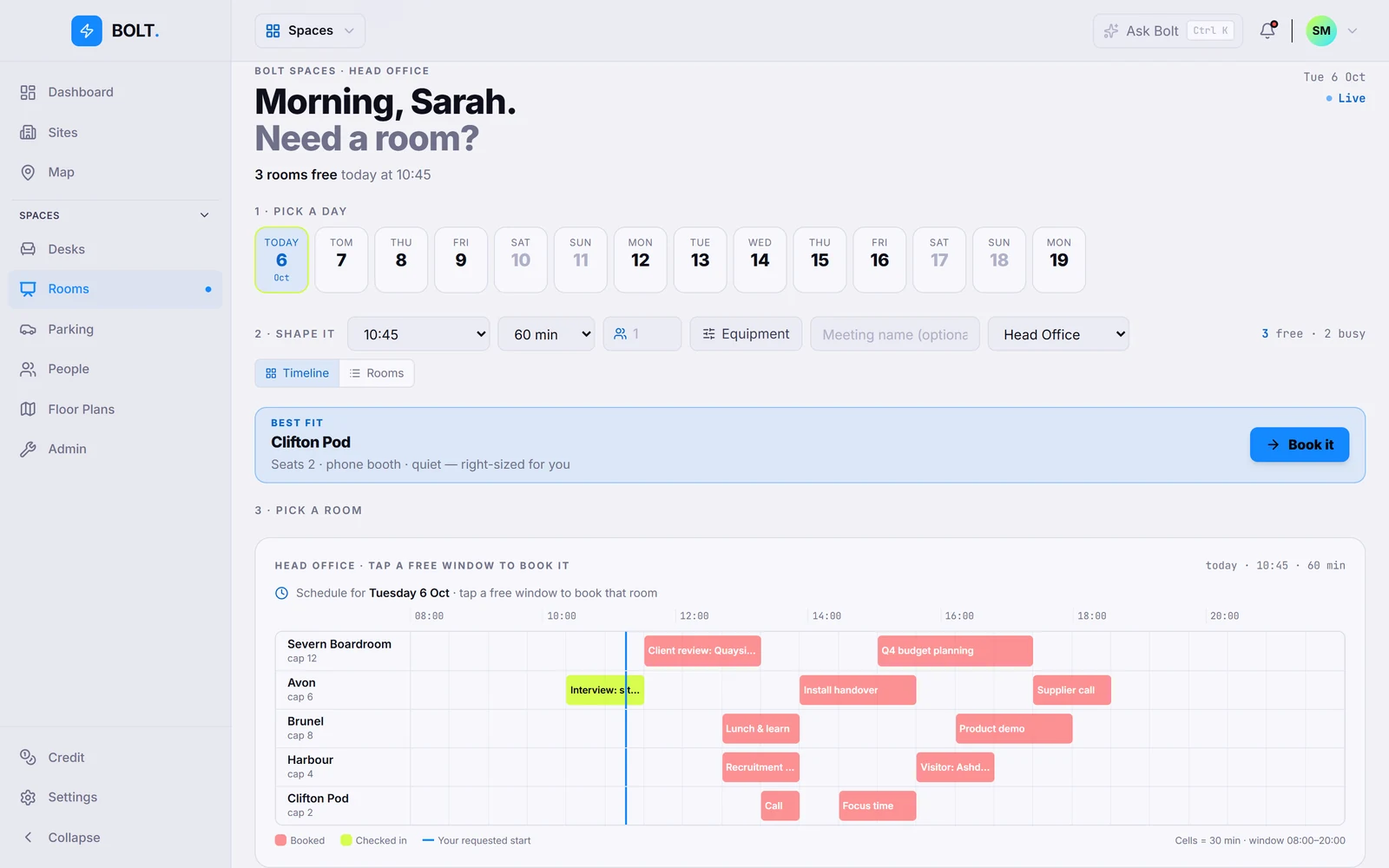
Meeting rooms
Without the Monday-morning scramble.
See which rooms are free, book a slot, cancel when plans change. From the app or the browser.
- Release a room early with one tap
- Capacity and equipment tags
- No-show meetings give the room back (in development)
- Outlook and Google calendar sync (planned)
-
Parking
Early access
A bay with your name on it. For the day.
Book a bay like you book a desk. Keep a first-come pool for staff and hold the rest back for the people who need them.
- Staff, visitor, EV and accessible pools
- Reserved bays for visitors
- Number-plate entry at the barrier (planned)
Early access
A booking is just a key with a time limit.The booking is the credential. No second system.
Rooms and doors share one system, so booking the room is what lets you into it. Turn up, tap your phone, you’re in. Leave, and the key stops working on its own.
The reader on the room’s door accepts the booking for its window and nobody else’s. No booking tool to integrate, nothing to babysit, nothing to revoke afterwards.
When Sarah books the Jupiter room for 10:00
- 09:50 Pass goes live Sarah’s phone can open Jupiter from ten minutes before her booking.
- 10:00 Door opens on a tap The reader on Jupiter’s door accepts her for the booking window, and nobody else’s.
- 11:00 Meeting ends Ten minutes’ grace to finish the sentence and find the charger.
- 11:10 Pass expires Nothing to revoke. Nothing to tidy up.
Worked example, not a real booking.
Rules in the app, not in someone’s head.Set up beside the door rules.
Some zones are open to all. Some need a manager’s nod. Some are a shared pool. Set it once and the app enforces it.
Zones open to all, zones that need a manager’s nod, shared pools. Set once in the same dashboard as the doors, and the app enforces it.
| Desks and rooms | Unlimited |
|---|---|
| Approvals | By role, zone or time |
| Booking on | Phone and browser |
| Door access | Through Bolt door controllers (early access) |
| Auto-release | Per-zone rules (in development) |
| Calendar sync | Microsoft 365 · Google Workspace (planned) |
Stop chasing who has the fob.Booking, on the doors you already fit.
Twenty minutes, on a call. We’ll show you desks, rooms and parking in the same app as your doors.
Same doors, same app, one login for your customer. Apply to fit Bolt and see booking on the demo kit.
Bolt. Available now. Form an orderly queue — we are British, after all.